
An elegant garment sets the stage, but light gives a portrait its character. The placement of a shadow, the turn of a face, and the gesture of a hand all contribute to how we experience the finished photograph.
On September 16, 2026, my PPA-sponsored “The Couture Experience” Lighting Workshop brought these creative considerations together through the lens of fashion-inspired portraiture. My approach to teaching lighting connects technical understanding with artistic intention: What should the photograph communicate, and how can we use light to express that idea?
Couture portraiture invites us to look closely. Light must describe the face while revealing the texture, shape, and movement of the clothing. A pose should complement the garment and still feel natural to the person wearing it. Small refinements—in the angle of a shoulder, the placement of the hands, or the direction of the eyes—can make a substantial difference.
Drawing on my experience as a photographer and lighting educator, I approach these choices as parts of one composition. Lighting, styling, expression, and gesture work together to create a portrait with presence and personality.
In this article, I share a look at “The Couture Experience” and the thinking behind creating elegant, expressive portraits. Whether you photograph fashion, bridal subjects, or personal portraits, I hope it encourages you to approach your next session with a clearer intention and a willingness to explore the possibilities of light.
The Experience - September 16, 2026
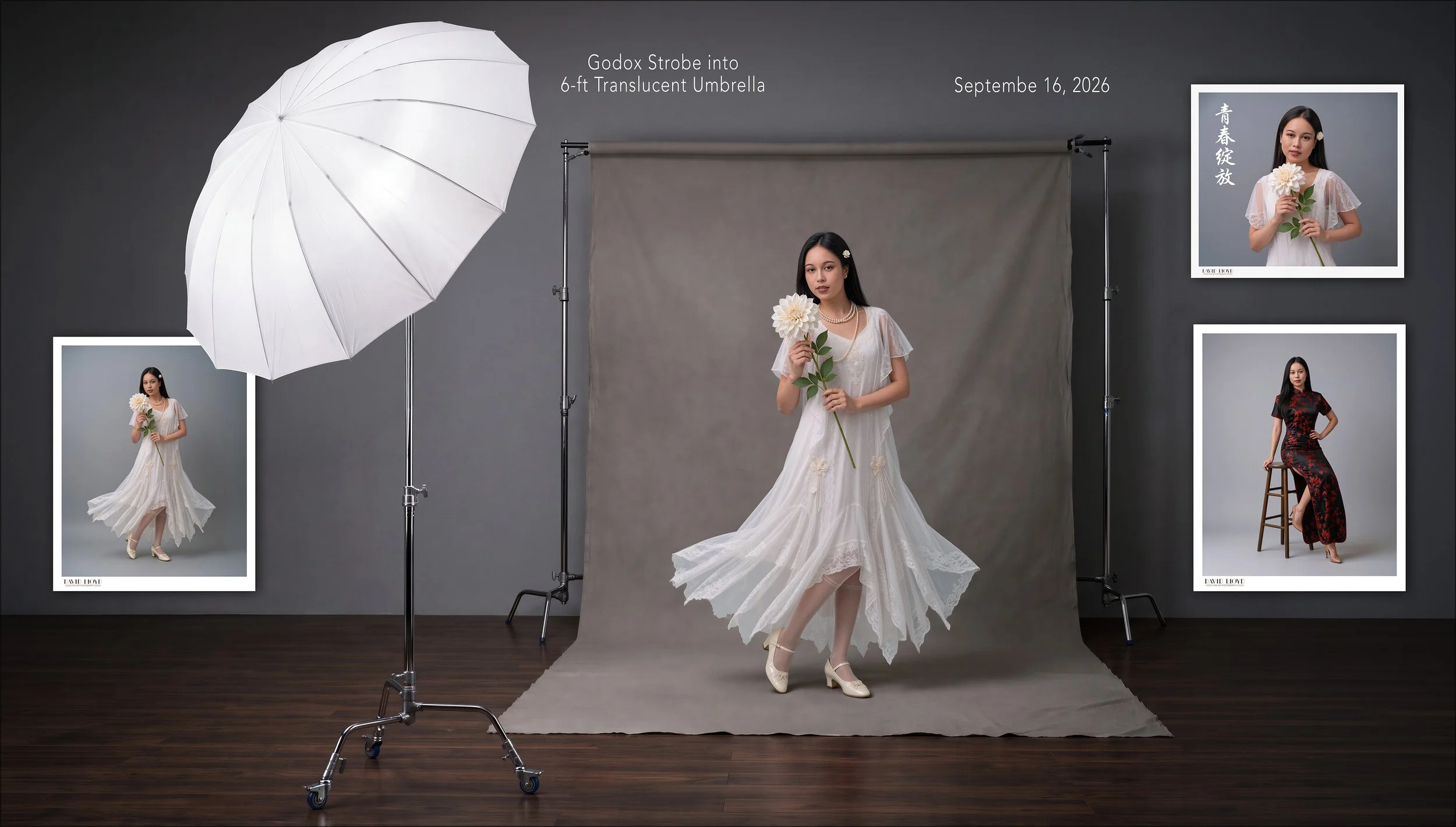
Attended by five PPA Member Photographers; Sue W, Ron C, Lisa T, Michael J and Eric L, our beautiful and talented model, Khatu Nguyen, facilitated our creating a very memorable Photographic Lighting experience for the Author, myself and the five attending photographers. The image above contains actual author captured images in a simulated studio area.
The Lighting for the Workshop
As seen in the simulated studio area above, our light source was a single electronic flash unit, bare bulb, into a six foot diameter soft white umbrella. The residential studio area, white ceiling and surrounding walls added adequate fill to capture a Vogue - Penn styled 1950’s Era images.
Khatu Nguyen
Our model, Khatu Nguyen wore two separate dresses for the workshop; a 1930’s intricately styled wedding dress, pearl neckless, light coral carved rose hair broach, appropriate stockings and period shoes to complete the wedding look. She wore a fitted black and red Chinese dress for the second look.
Replacing the gray background with a painted canvas…
The original retouched photographs against a medium gray backdrop
The Process of Compositing a Painted Backdrop
As this workshop incorporated some insights into the use of AI, a painted backdrop can be generated with an AI image generation tool, such as Nano Banana Pro, available on a non-subscription basis with fal.ai, pay per use basis.
Prompt Example: Create an empty, full-length hand-painted studio canvas backdrop in a vertical 4:5 composition. Blend charcoal, warm umber, muted burgundy, and restrained touches of antique gold into soft, irregular brushwork. Keep the center gently illuminated and the edges darker, with rich texture that remains subtle enough for a fashion portrait.
Extend the painted canvas onto the floor with a natural, seamless transition. Leave the center and foreground open for a standing subject. No person, clothing, fan, furniture, props, or text.
You can generate up to four images at a time for the desired look, or even change the description. Resulutions available: 1K, 2K and 4K. Here is an example from the prompt.
Step 2 - Place image over the background
Select Subject in Photoshop: Select and Mask to refine the edge, especially the subject’s hair. Next, create a mask from the selection. This will isolate the subject from the gray background.
Step 3, Set blending mode to Soft Light
Since the background of the original image is gray, several blending modes see through 50% gray. Place a Levels adjustment layer above the image to blend into the background and adjust the mid-tone slider to blend into the background layer.
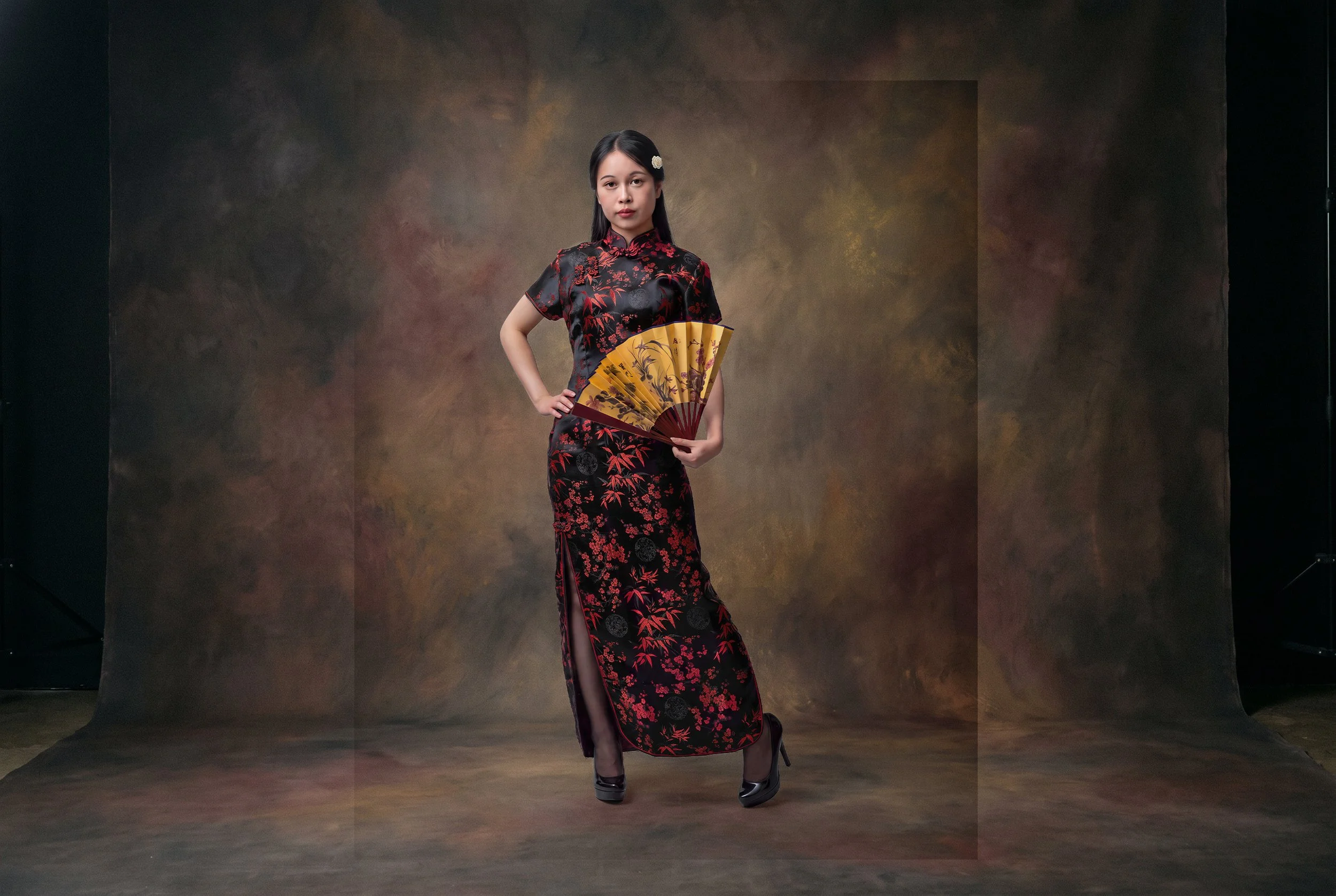
Blending in the Edges: with a soft edged brush, set for 50% opacity, brush around the edges to blend in with the original background.
Below are the Photoshop Layers involved with masking and blending the subject into the background. Note: Layer 1 and layer 3 are the same, except that the original mask hiding the gray background is deleted. The adjacent mask for layer 3 is used to blend the edges. Note that layer 3 is in the Soft Light blending mode and the Levels adjustment layer above has used to blend the subject into the background. Layer 1, with the subject mask, retains the subject at the desired brightness, sitting directly above layer 3.
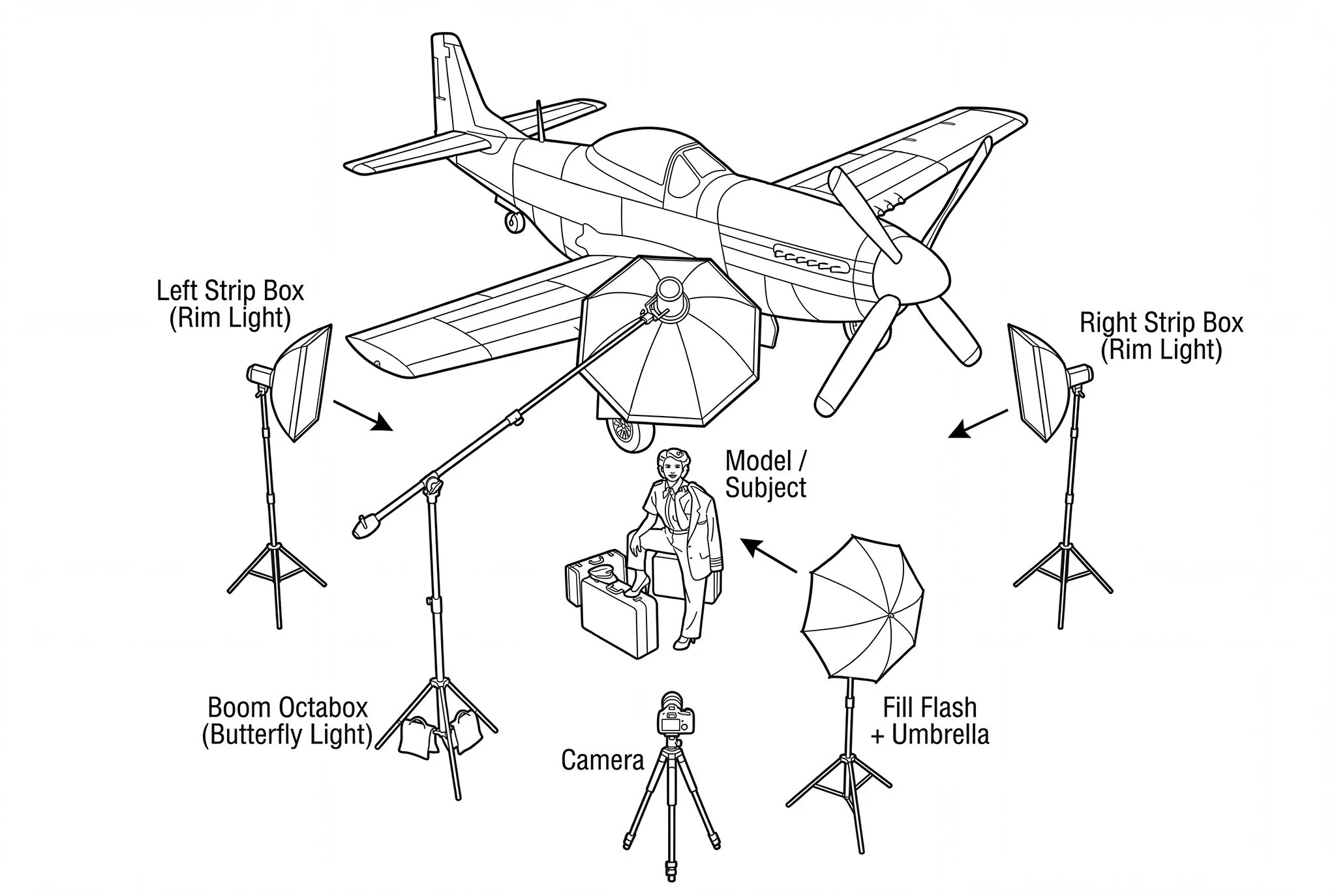
The Lighting Setup
The image above is another example of how our subject, Khatu Nguyen was illuminated for the portrait.
From Our Previous '“The Couture Experience” Workshop
Held in March, 2026
Our Model Oaklie Duncan
The Couture Experience - Session 1
A Fine Art Lighting Workshop March, 2026
An intimate, hands-on photographic experience blending classic couture lighting with modern AI artistry. (AI incorporated to create image variations for posing and styling ideas)
I’m pleased to announce the return of my Photographic Lighting Workshops, beginning with a limited, small-group session held in my private residential studio.
This workshop, “The Couture Experience,” is designed for photographers who want to refine their understanding of soft, sculptural lighting while exploring how timeless portraiture can be transformed into high-fashion imagery inspired by Paris and Hollywood of the 1940s and 1950s.
What We’ll Create
We will work with a beautiful professional models under a carefully crafted, ultra-soft lighting setup. The goal is to reveal facial structure, nuance, and elegance—much like the portrait studies used by master photographers before couture styling was ever applied.
From there, I’ll demonstrate how these photographs are transformed using AI-assisted image prompting and Photoshop, dressing the subject in historically inspired couture drawn from the great designers and photographers of the 1940’s and 1950’s era.
Original Captured Image of Oaklie
Model: Aiyana Churcher AI Generated
Model: Oaklie Duncan
Our AI Background Transformation
A Future Black and White Couture Lighting Workshop. Coming Soon!
My OCF Lighting Book
Having held and taught several Lighting Workshops over the past 17 years, in 2016, I published my Lighting Book, “Creative OCF Lighting Techniques for Photographers.”
How To Lighting Diagrams
About